UniTask & Related Topics

Minh Khoa
Author
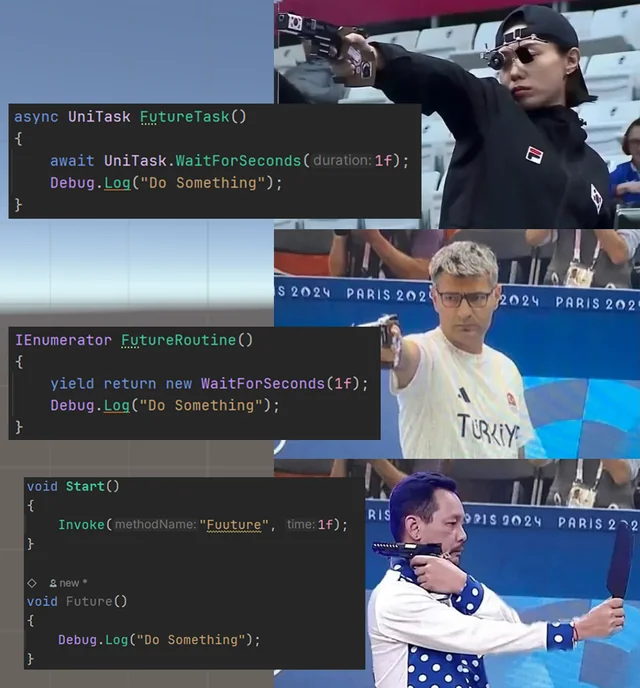 ## 🟦 1. UniTask what is it?
UniTask is the library Unity-optimized async/awaitdeveloped by Cysharp (the creator MemoryPack, MessagePipe…).
It was created to completely replace:
IEnumerator+StartCoroutineasync Task(C# standard)- Old-style callbacks
🟩 2. The problems with Unity before UniTask
❌ (1) Slow, hard-to-control coroutines
Coroutines have drawbacks:
- Do not catch exceptions
- Cannot be canceled properly
- Cannot await results
- Do not run multithreaded
- Do not combine well with async/await
- No return value
- Not reusable (must recreate the enumerator → GC)
- Each yield creates boxing → GC spike
Unity essentially implements coroutines with mono scheduler → not optimized.
❌ (2) .NET async Task is too heavy for Unity
async Task creates a lot of allocation:
- Task object
- TaskCompletionSource
- Continuation delegate
- State machine
Unity GC weak → easily causes freezes micro-stutter.
❌ (3) No await for Unity (await scene load, await animation, await frame)
Cannot write like this:
await SceneManager.LoadSceneAsync("Game");
await UniTask.WaitForEndOfFrame();
await button.OnClickAsync();
Unity API completely has no awaitable.
🟩 3. UniTask solve all problems
⭐ UniTask NO ALLOCATION
Unlike async Task, UniTask:
- does not create Task objects
- does not create heap allocation
- uses struct-based awaiter
- runs extremely fast
This is why UniTask became the standard for Unity game performance.
⭐ Await everything in Unity (strongest point)
UniTask adds a series of API that Unity does not have:
await UniTask.Delay(1000);
await UniTask.WaitForEndOfFrame();
await UniTask.WaitUntil(() => hp <= 0);
await transform.DOMove(...).ToUniTask();
await button.OnClickAsync();
await SceneManager.LoadSceneAsync("Battle").ToUniTask();
Clear, clean workflow, no callback hell.
⭐ Real multithreading (unlike coroutines)
Coroutines only run on the main thread.
UniTask can run on thread poolworker threads:
await UniTask.Run(() => HeavyCalculation());
→ Separate heavy logic from the main thread.
⭐ CancellationToken – something coroutines do not have
Can cancel every async operation:
var cts = new CancellationTokenSource();
await DoSomethingAsync(cts.Token);
cts.Cancel();
Coroutines cannot be canceled that nicely.
⭐ No need StartCoroutine
UniTask to use async/await:
await PlayerJumpAsync();
No need:
StartCoroutine(PlayerJump());
⭐ Lighter than Task, stronger than Coroutine
Coroutine
- Can be used directly with Unity API
- Cannot be awaited
- No direct return value
- No proper cancel support
- Does not support multithreading
- Has GC allocation
async Task
- Can be awaited
- Has a return value
- Supports cancel
- Can run multithreaded
- Does not use Unity API directly on a worker thread
- Still has GC allocation
UniTask
- Creates almost no GC
- Can be awaited
- Has a return value
- Supports cancel
- Can be multithreaded
- Works well with Unity API
- Specifically optimized for Unity
🟩 4. If there isn't UniTask what do you use?
There are 3 options, but they are ALL FAR WORSE UniTask.
❌ 1. Use pure Coroutine (traditional Unity)
Example:
StartCoroutine(LoadSceneRoutine());
Disadvantages:
- no return value
- cannot catch exceptions
- does not run on a background thread
- cannot await async tasks
- not suitable for large systems
- hard to maintain
Only usable for prototypes or small games.
❌ 2. Use C# async Task#
Example:
await Task.Delay(1000);
Disadvantages:
- EXTREMELY large ALLOCATION
- GC many
- heavy Task overhead
- No Unity await API
- Easy to cause frame lag
Unity game production should not use async Task for continuous loops.
❌ 3. Use 3rd-party assets like RSG Promises
Promise-based (JavaScript style), but:
- many GC
- hard to maintain
- API complex
- cannot be unified with async/await
No longer common.
🟦 5. When SHOULD you use UniTask in real games?
✔ Loading screen (await scene load)
✔ Button waits for player (await OnClick)
✔ Wait for animation to finish
✔ Wait for spine animation to finish
✔ Wait for DOTween effects (await tween.ToUniTask())
✔ Wait for API network response
✔ Save data async
✔ Multiplayer async
✔ Camera transitions
✔ Audio fade
✔ Spawn sequence logic
UniTask helps the code stay extremely clean:
Production code example:
await PlayIntroAsync();
await ShowPopupAsync();
await WaitForClickAsync();
await LoadStageAsync();
The flow is super clear and beautiful.
🟦 6. So, why do almost every Unity studio use UniTask?
✔ Performance is not GC
✔ Very suitable for the architecture async/await C#
✔ Native integration with Unity
✔ API extremely complete
✔ Runs on the thread pool as well
✔ Use together with DOTween, Addressables, SceneManager, UI
Unity itself is also starting to move to the model async/await for many systems → UniTask will have long-term viability.
🟥 7. Strong conclusion
🎯 UniTask strong because:
- No allocation (zero GC)
- Much better performance optimization than Task
- Full await support for Unity
- API very well suited to game workflow
- Has cancellation
- Has multithreading
- Integrates well with DOTween, Addressables, UI, loading…
🎯 If there is no UniTask then you will have to:
- Use Coroutine (weak, old, hard to maintain)
- Or use async Task (heavy, laggy, many GC)
- Or write callbacks yourself (ugly, hard to debug)