AI Frontend UI & Motion Stack Playbook

Minh Khoa
Author
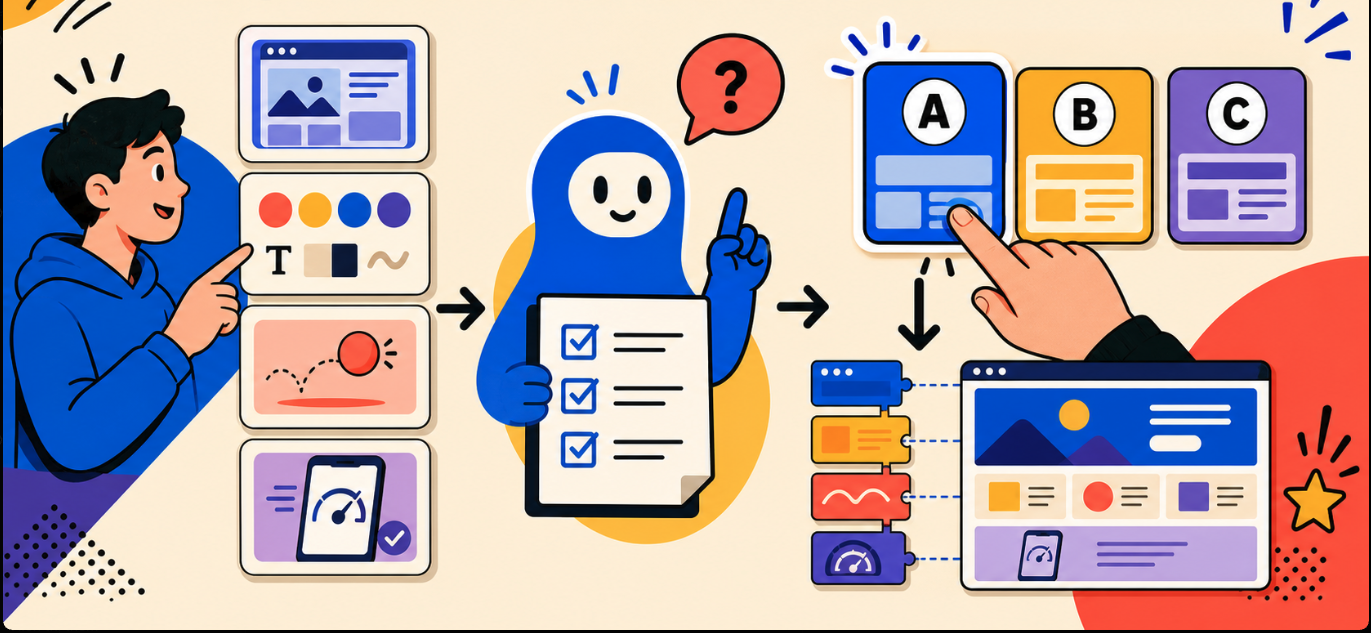 Using AI to build websites is very fast.
But precisely because it is so fast, we often skip an important decision: What technology should this project actually use?
You only need to say:
Create a very beautiful website with animation for me.
AI may immediately choose Next.js, Tailwind CSS, shadcn/ui, Motion, GSAP, Three.js, and a whole set of other effect libraries.
The website may run. But that does not necessarily mean it is the right stack.
A landing page, a dashboard, a creative portfolio, and an e-commerce website should not all use the same formula.
The problem is not a lack of technology
Frontend today has too many options:
- React, Vue, Svelte, or Astro?
- Tailwind or CSS Modules?
- shadcn/ui, Base UI, Radix, or Material UI?
- Motion, GSAP, or just CSS animation?
- Lottie or Rive?
- Three.js, PixiJS, or completely no canvas?
- Should smooth scroll be used?
- Beautiful animation, but does it run well on mobile?
Each technology has its own strengths. But if you choose incorrectly, a project can easily turn into a “dependency hotpot”: many libraries doing the same thing, hard to maintain, slow to load, and no longer consistent in the UI.
AI knows a lot of technologies, but it does not automatically know what kind of product you want.
So before asking AI to code, we need to give it a selection process.
I created a Frontend Stack Playbook for AI
This is a Markdown file that can be added to any frontend project.
It is not a starter template, and it is not a list of packages that must be installed.
It is a playbook that guides AI on how to think before choosing a frontend stack.
The file includes:
- Framework and meta-framework catalog.
- UI kit, headless component, and design system.
- Styling, tokens, and CSS architecture.
- Animation engine and page transition.
- Rive, Lottie, SVG, Canvas, and 3D.
- Chart, table, form, carousel, drag and drop, and editor.
- Rules for accessibility, performance, and reduced motion.
- Official documentation links so AI can check the latest information.
- A set of questions that help AI understand the project before suggesting technology.
The most important point is that the file requires AI to:
Do not code or install packages until the user finalizes the stack.
What will AI ask?
After reading the playbook, AI does not start creating the project right away.
It will ask you short questions by category such as:
- Are you building a landing page, SaaS, e-commerce, or portfolio?
- Do you want to use React, Vue, Svelte, or let AI suggest?
- Does the interface need to be minimal, premium, creative, or enterprise?
- Should animation be light, product motion, cinematic, or immersive?
- Do you need Rive, Lottie, Canvas, or 3D?
- Is the main device a high-end desktop or a mainstream mobile device?
- Do you prioritize distinctive beauty, speed, SEO, or maintainability?
- Is the project open-source only, or do you accept paid tools?
Users do not need to understand all of frontend in order to answer.
You can simply say:
I want to make a creative portfolio, not prioritizing any framework, with cinematic animation and a light 3D hero, but it still has to run well on mobile.
From that answer alone, AI already has enough data to eliminate many unnecessary technologies.
Then AI will propose stacks for you to choose
Instead of deciding on its own, AI will present up to three options.
For example:
Stack A — Lightweight and suitable for portfolios
- Astro
- Tailwind CSS
- GSAP
- OGL for 3D hero
- Native View Transitions
Stack B — Easy to expand into an application
- Next.js
- Tailwind CSS
- shadcn/ui
- Motion
- React Three Fiber
Stack C — Compact and oriented toward creative experiences
- SvelteKit
- Bits UI
- GSAP
- Threlte
Each option must explain:
- Why it fits.
- Its strengths.
- Its trade-offs.
- Its impact on performance.
- Maintainability.
- Which parts need testing first.
You can choose an entire stack or remix it:
Finalize Stack A, but remove OGL and use Rive.
Only then will AI lock in the decision, list the dependencies to use, and begin implementation.
Why is this useful for vibe coding?
Vibe coding helps us create products quickly, but “fast” does not mean letting AI decide the entire architecture.
This playbook helps users keep control without needing to become frontend experts.
It helps:
- Not use the same stack for every website.
- Avoid installing multiple libraries with overlapping functionality.
- Choose the right level of animation for each product.
- Not add 3D just because it looks impressive.
- Balance aesthetics and loading speed.
- Force AI to care about mobile and accessibility.
- Record the reasons for choices so the project is easier to maintain later.
- Recheck official documentation instead of relying on outdated knowledge.
How to use
Place the Markdown file in a new project, then send AI the command:
Read the entire file
AI_FRONTEND_STACK_PLAYBOOK.md. Do not code and do not install packages yet. Ask me according to the playbook, check the official documentation, propose 2–3 suitable stacks, then wait for me to finalize.
From there, AI will act as a frontend consultant before becoming the code writer.
There is no best frontend stack for every website
Next.js is not always necessary.
GSAP is not the right choice for every animation.
Three.js does not automatically make a website premium.
And installing many UI libraries does not mean the interface will be more beautiful.
What matters is not finding the strongest stack.
What matters is choosing a stack that is just enough for the right product, the right style, and the right users.
That is exactly the purpose of the Frontend Stack Playbook.
👉 See the AI Frontend UI & Motion Stack Playbook here